By Tiffany Arnold
Many writers, students, and content creators rely on free online editing tools to proofread their work. But can they catch complex grammar mistakes?
I decided to run a test on one of the most frequent errors I encounter in my day-to-day copyediting work: a dangling modifier.
Because I don’t use these tools in my own editing practice, I did a generic online search for recommendations. Google and Reddit suggested four online tools:
QuillBot
LanguageTool
Grammarly
Scribens
I used the free versions of these tools to see if they could detect and offer an appropriate revision for the dangling modifier in this sample sentence: Running down the street, the backpack fell off my shoulders.
When Your Backpack Goes for a Jog: A Quick Primer on Dangling Modifiers
Here’s a quick explainer on what a dangling modifier is. Let’s start with the first part of the sentence, “Running down the street.”
This is what’s known as a participial phrase. These phrases should be linked to a person or thing carrying out the action in the sentence, the individual or object that was “running down the street.”
But writers often fail to match the participial phrase with the person or thing carrying out the action of the sentence. You can see this in our sample sentence, “Running down the street, the backpack fell of my shoulders.” As written, it suggests that the backpack was running down the street, which is obviously wrong.
A person was doing the running, not a backpack, so any grammar check tool would need to address this in their suggested revisions.
Results: My Backpack Kept Running
QuillBot
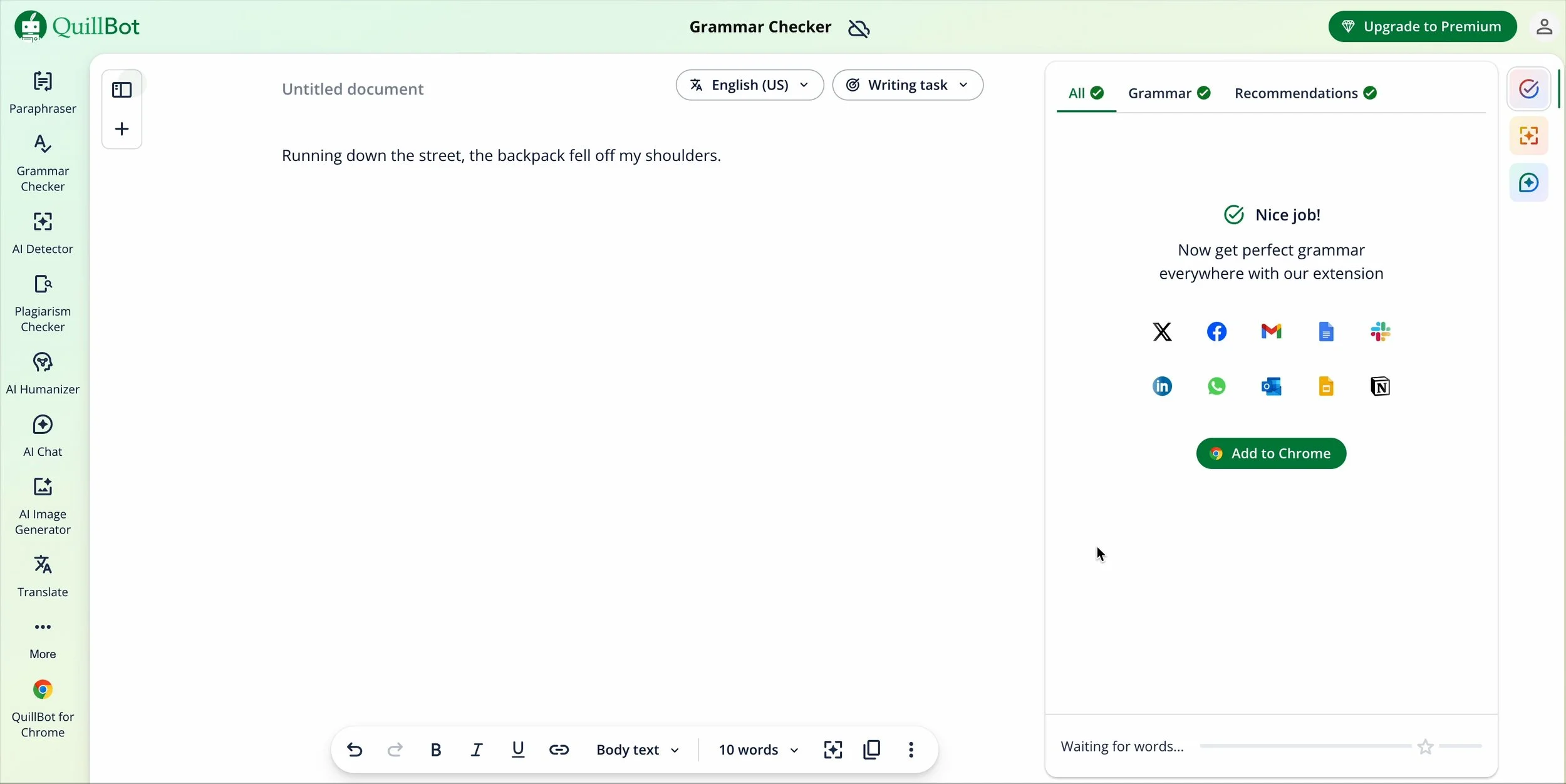
The first website I tried was QuillBot. The interface seemed simple enough to figure out. But when I copied and pasted in my sentence into its interface, the tool did not detect any grammar issues.
Screenshot, QuillBot.com
LanguageTool
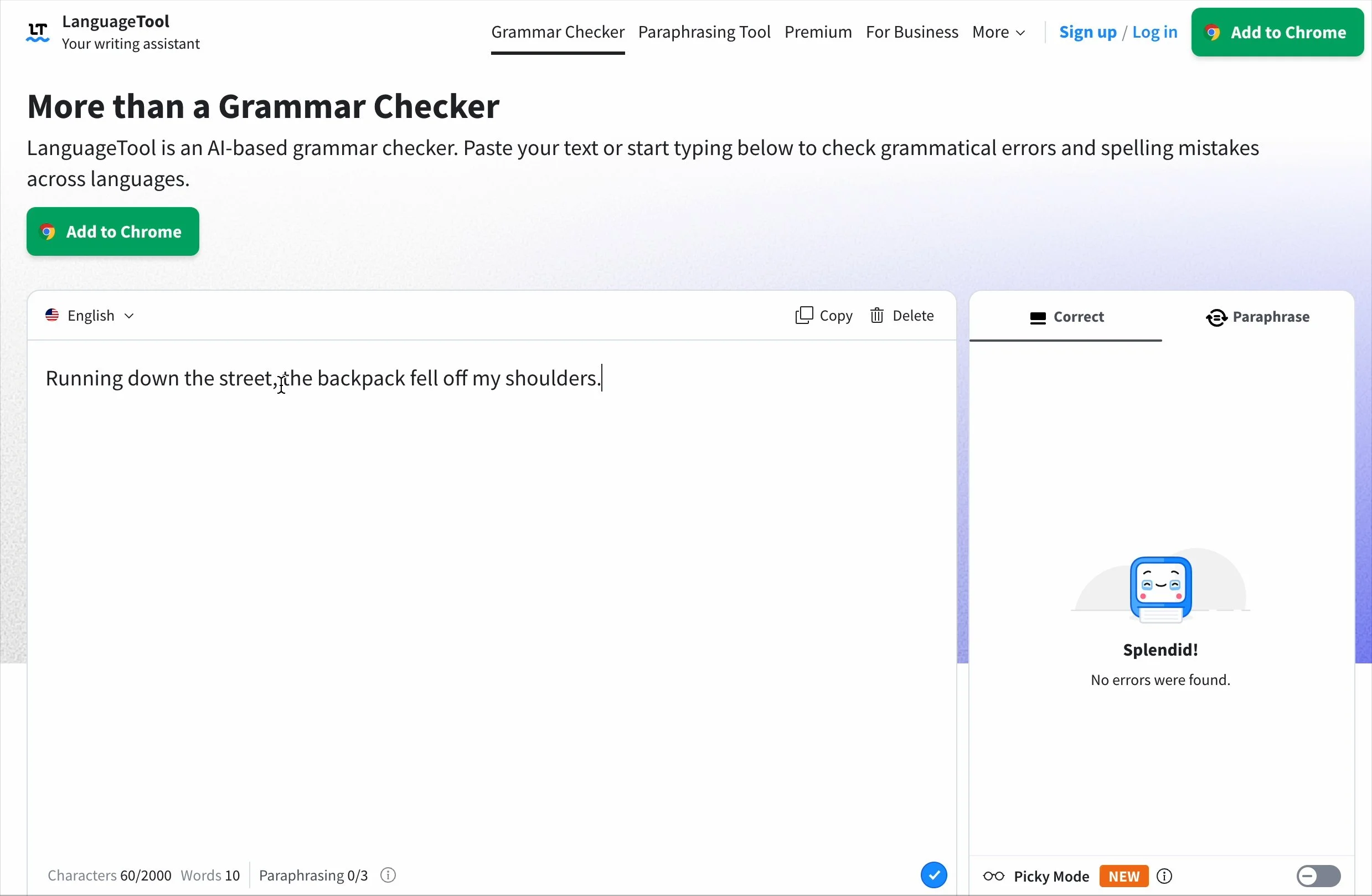
Neither did LanguageTool, the second site I tried.
Screenshot, LanguageTool.com
Grammarly
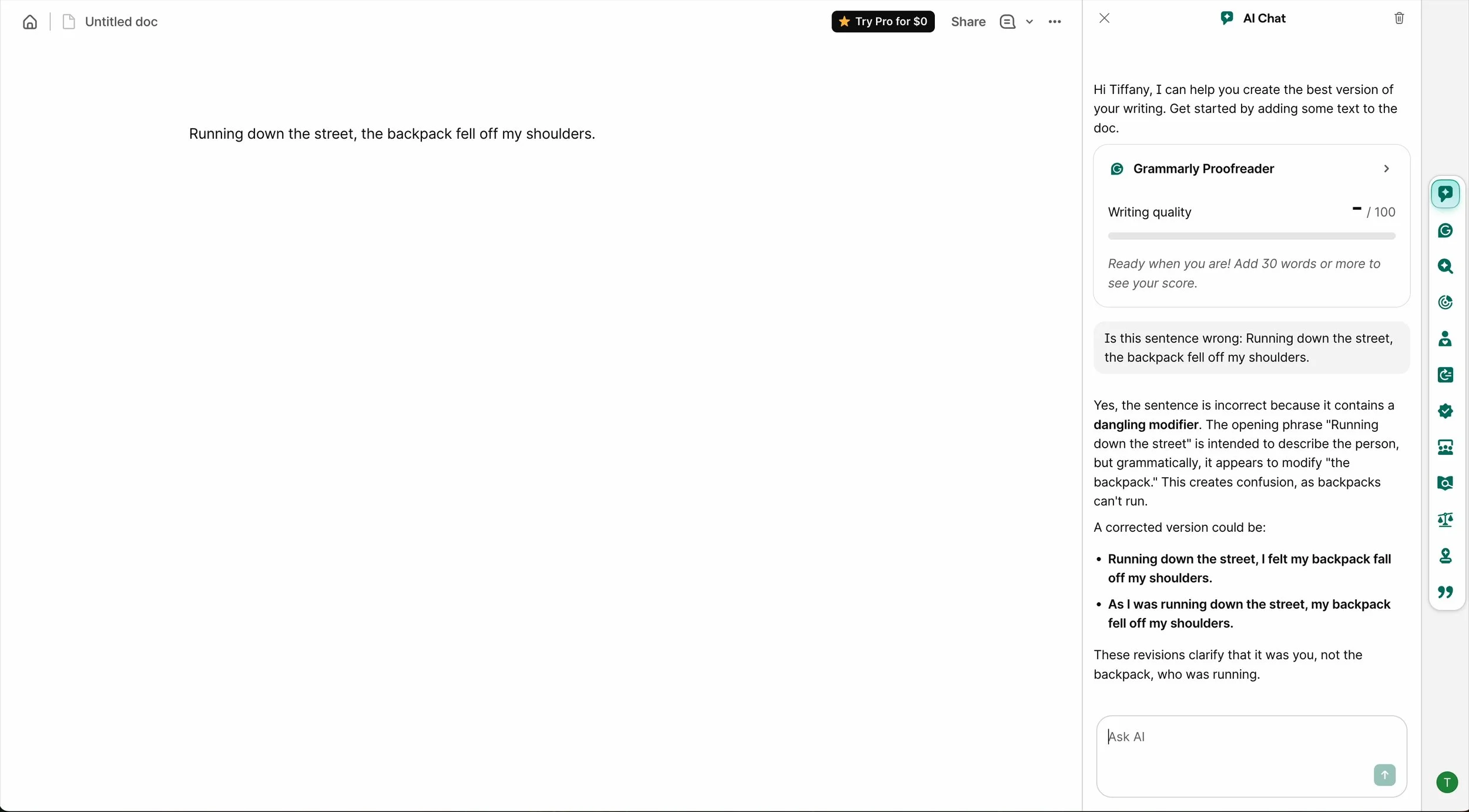
Grammarly was the most cumbersome to set up, even for the free version. Once settled, I typed in my sentence. As with QuillBot and LanguageTool, Grammarly did not detect the error. However, it did flag the issue and offer appropriate revisions when I asked its AI chatbot if there was something wrong with the sentence.
Screenshot, Grammarly.com
I’d say this was a mixed result. It’s unclear whether Grammarly needed a minimum of 30 words to work or if the error really did fly under the radar.
Scribens
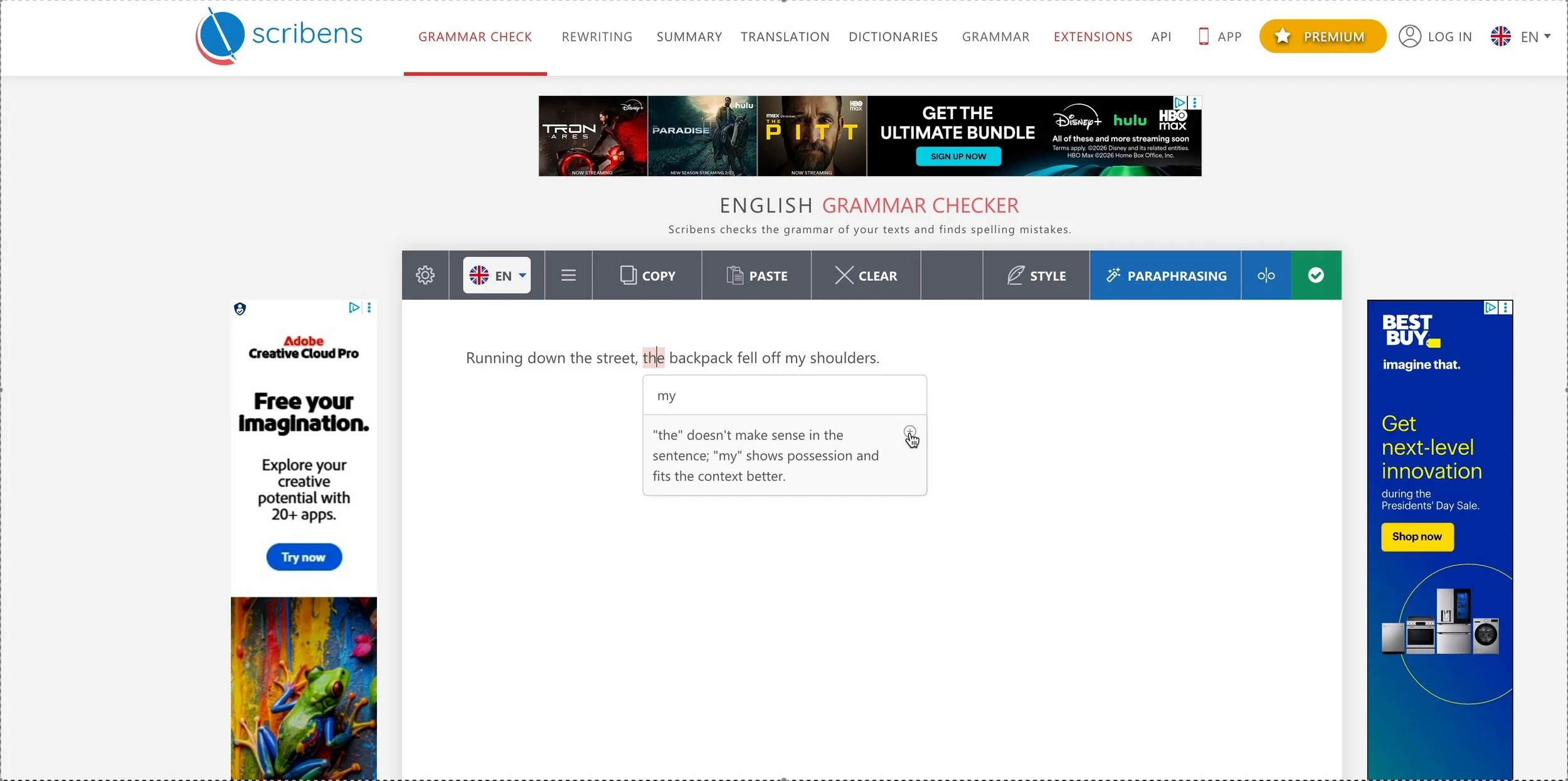
And finally, Scribens. This was the only tool that detected the error right away, but it provided a weird correction: changing “the backpack fell of my shoulders” to “my backpack fell of my shoulders,” which still makes it seem like the backpack was doing the running.
Another flag is that the default language for English is set to the UK, which could be an issue if you’re editing content written in American English.
Screenshot, Scribens.com
So What’s the Verdict?
I’m going to say these tools were 0–4, since Grammarly failed to flag the error out right. In my opinion, if a proofreader tool claims to immediately detect errors, I shouldn’t have to manually ask its AI if my content has grammatical issues.
Still a Long Way to Go
Popular proofreading apps really aren’t a replacement for hiring a professional—at least not yet.
I remember these tools being unreliable when I was a digital editor at a news radio station in Washington, D.C. more than 10 years ago, which is why I’m surprised at the results of my informal test.
Station leadership thought an automated proofreading tool could save web editors time in breaking news situations. The tech team activated one of these editing tools on the backend of the station’s website; I think it was a Grammarly plug-in for WordPress. But editors rarely relied on it because the tool missed so many errors. As an example, radio reporters habitually spelled out numerals (easier to read aloud when recording), so an address in their web story might appear as “the twelve-hundred block of N Street Northwest” instead of “the 1200 block of N Street Northwest.” The automated proofreading plug-in left spelled out numbers untouched. Issues like dangling modifiers most certainly flew under the radar.
It seems these online tools have not improved since I last encountered them a decade ago. As I mentioned, I do not use these in my professional editing practice. But I think a lot of people are using these tools to save money.
Should you use free online grammar checkers? I think it depends on what you’re editing. Casual emails to colleagues? Probably OK. A company report or research manuscript? Probably not OK.